Monitor the journey
View locations, trip progress, attendance and safety checks. Move between schools, operators, routes and individual buses.
A complete school transport workflow: prepare your school, run the pickup, keep parents informed and close every journey with a physical bus inspection.
Set up the people, routes and devices before your first trip.
Choose your plan and complete school onboarding. Confirm your location, transport contacts and the people responsible for daily operations.
Outcome: Your school has a starting point for configuration.
Add buses, drivers, assistants and students. Assign students to routes and stops, and prepare the Safety QR and Route QR for each bus and journey.
Outcome: Staff and students are connected to the correct trips.
Set up compatible smartphones with GPS, internet and the required permissions. Help parents access the app and choose alert points. Train assistants on attendance, QR checks and trip closure before a supervised first trip.
Ready to go: Your team knows how to start, manage and close a journey.
Assistants manage the journey while parents and school teams stay informed.
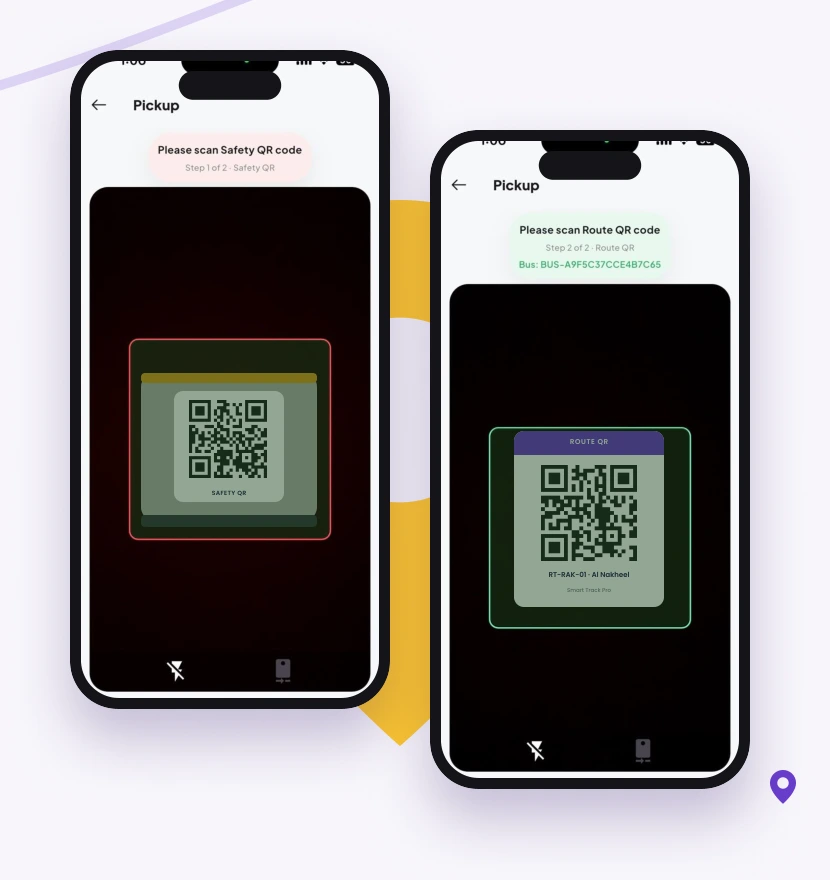
Walk through the bus, complete the physical safety check and scan the rear Safety QR. Scan the assigned Route QR to begin the pickup journey.
Parent update: The pickup trip has started.
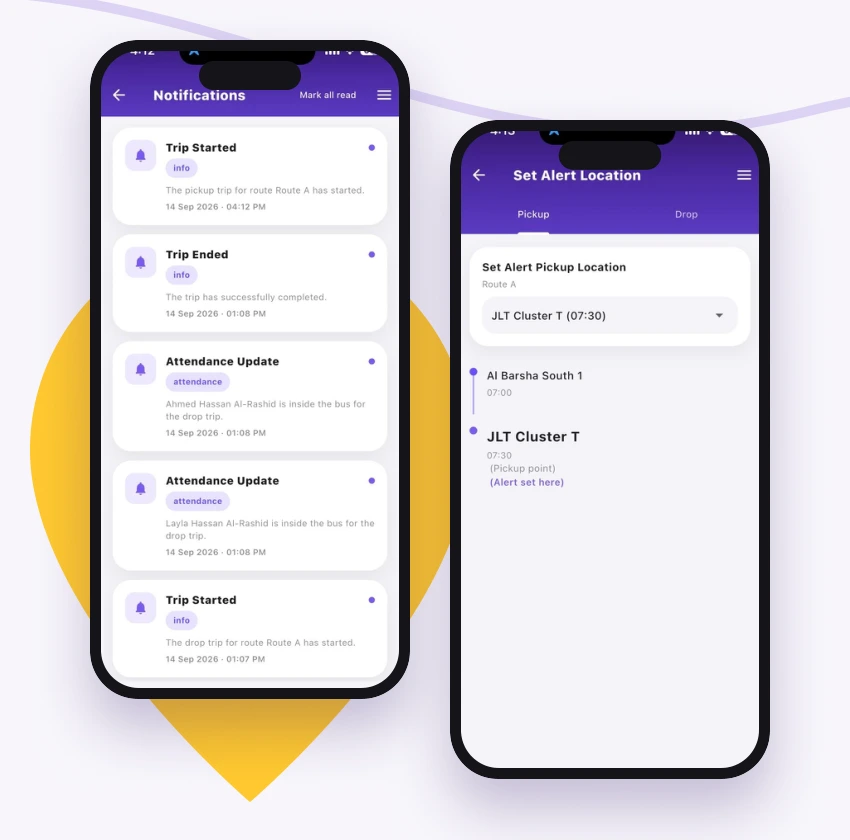
The assistant’s compatible phone supplies GPS location during the trip. Parents follow the bus and receive an in-app call when it reaches their selected alert point.
Parent update: The bus is approaching the selected pickup location.
As students board, record attendance using NFC card taps on a compatible phone or manual marking. Keep the trip’s present-or-absent record up to date.
Parent update: Their child’s trip attendance is recorded.
Confirm student drop-off at school. Inspect all seats and the full bus, then scan the rear Safety QR again to close the trip. A QR scan supports the routine; the physical inspection remains essential.
Parent update: School arrival is confirmed. The team can review trip and safety-check status.
Begin a fresh return journey and account for students through the final drop-off.
Complete the required bus safety check and scan the Route QR for the return journey. Record each student boarding using NFC or manual attendance.
Parent update: The return trip is boarding or has started.
Follow the assigned route, notify parents at their selected alert points and record students leaving the bus at their designated stops.
Parent update: The bus is approaching, followed by the configured drop-off update.
After the last drop-off, physically inspect the entire bus and every seat. Scan the rear Safety QR to close the return trip and record completion.
Trip complete: Attendance, drop-off and safety-check status are available for review.
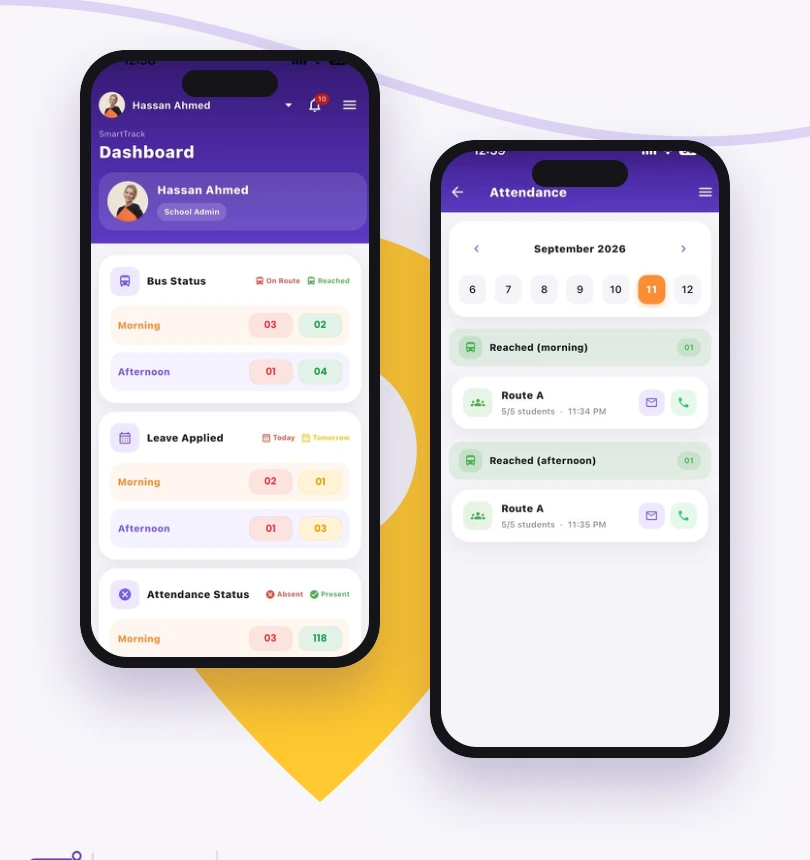
Schools and transport teams monitor daily activity. Wider control room workflows can be configured for multi-school oversight.
View locations, trip progress, attendance and safety checks. Move between schools, operators, routes and individual buses.
The assistant reports the issue. The team assigns a standby bus, coordinates student transfers and keeps relevant schools and parents informed.
Review delayed trips, missing checks and configured route or speed alerts. Agree incident ownership, escalation and resolution records.
Check completed trips and outstanding incidents, review attendance and safety records, and use the reports available in your plan to guide follow-up and staff training.
Explore control room featuresSee what SmartTrack can do for your school or transport network.